On the last payrun of a financial year or on the first payrun of the next finacial year, you should notify the ATO you have completed all payroll transactions for each employee.
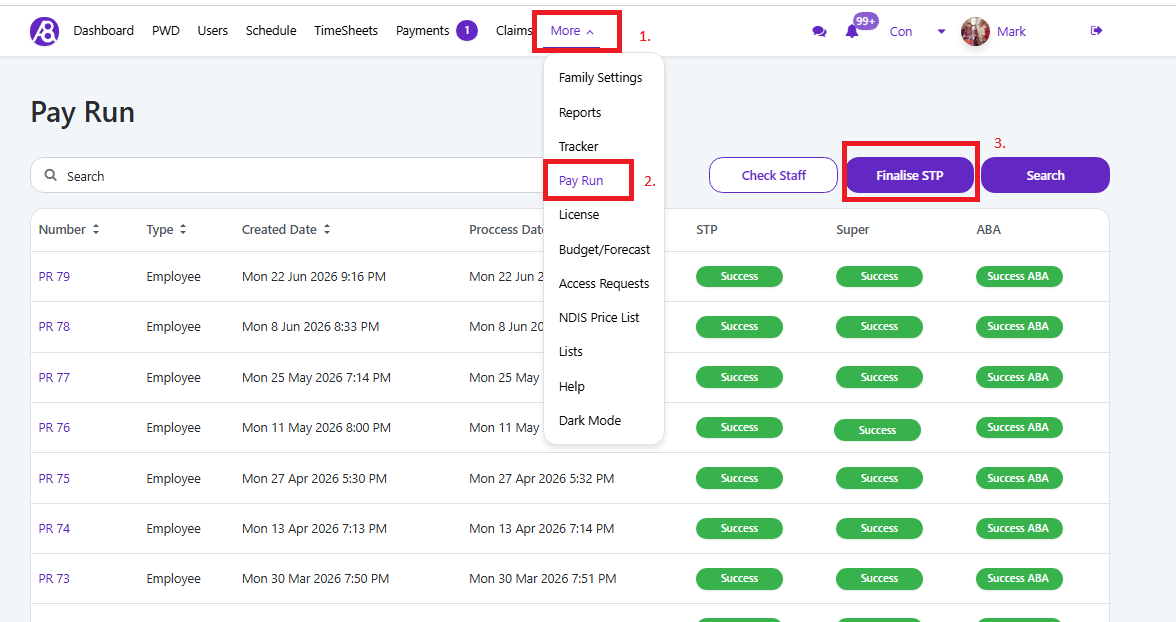
To acheave this you need to go to “More” menu item, then “Pay Run” then select the “Finalise STP” button, see image below.
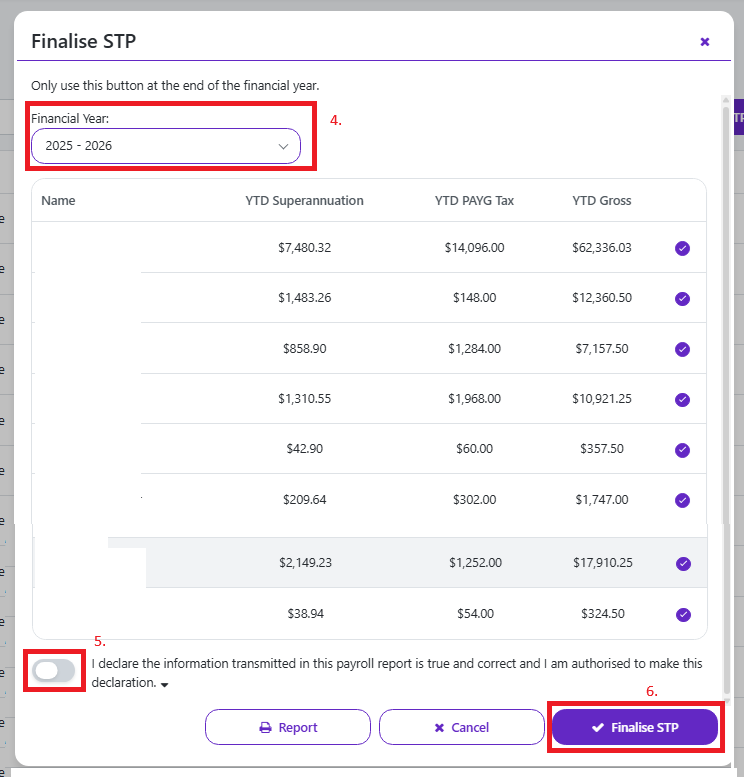
A new screen opens and you check the correct financial year is selected, check all the staff appear as expected.
Then turn ON the “Declare..” switch and press “Finalise STP” button
This also means you do not need to create a "Payment Summary" for the employee, read further details on the ATO website
Link to details on the ATO website