
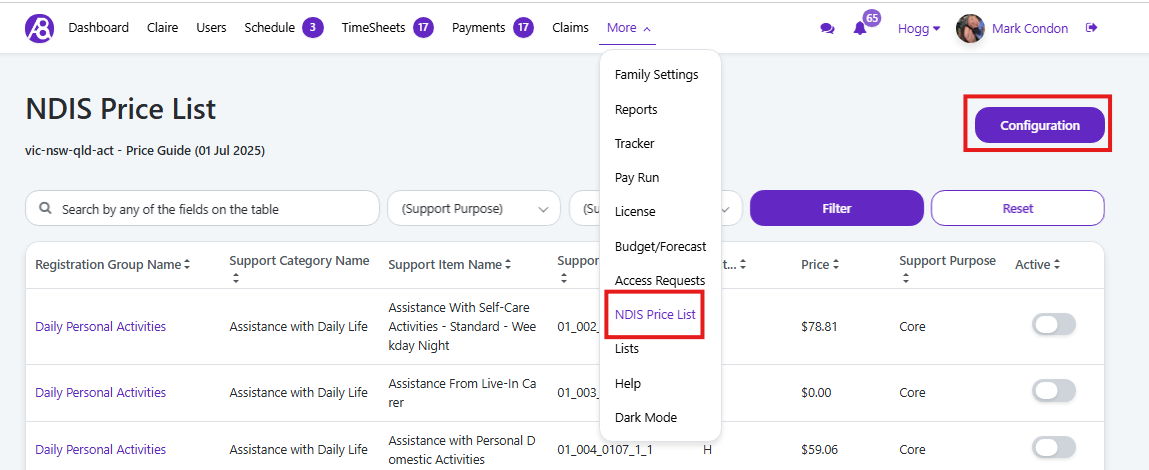
Go to “More” menu item, then to “NDIS Price List”
Note the current price guide date on the top left under the NDIS Price List heading.
Select the “Configuration” button in top right corner of screen.
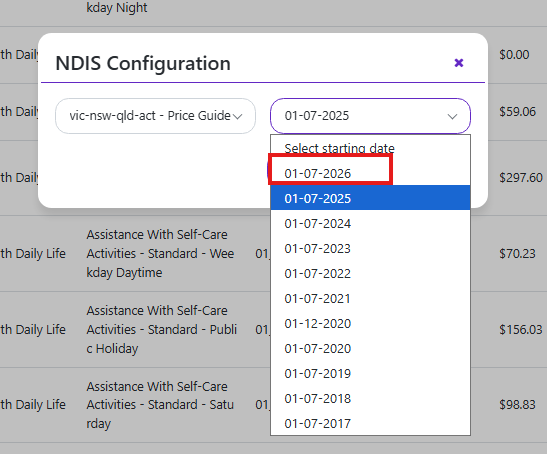
In the new popup card select the Date field of the latest price guide
Then press “Save”
Confirm you are now using the new price guide by checking the region and date under the page heading.
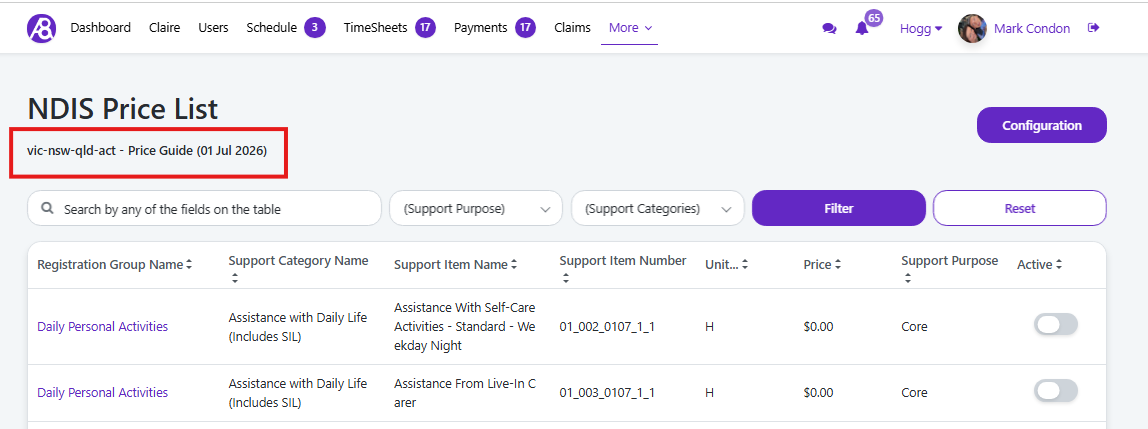
The price guide is now updated and will use the new rates.